Understanding the Power of Image-to-Video Conversion
In an era where visual content dominates digital platforms, the ability to convert static images into engaging videos has become an essential skill for creators, marketers, and everyday users alike. This process breathes life into photographs, turning frozen moments into fluid narratives that capture attention more effectively than still frames alone. Whether reviving old family portraits, enhancing social media posts, or crafting professional presentations, image-to-video transformation opens new avenues for storytelling and expression.
The appeal lies in its simplicity and impact. A single photograph can convey emotion, but when animated with subtle movements, transitions, or effects, it evolves into a compelling clip that holds viewers longer. This technique leverages basic principles of motion design, allowing even novices to produce polished results without extensive filmmaking experience.
Essential Techniques for Bringing Images to Life
Several core methods form the foundation of converting images to videos. One popular approach involves applying zoom and pan effects, often referred to as the Ken Burns effect. This technique simulates camera movement by gradually zooming in or out and panning across different areas of the photo, creating a sense of depth and exploration. For portraits, a slow zoom toward the subject’s face draws focus to expressions, while landscape images benefit from sweeping pans that guide the viewer’s eye across horizons.
Another effective method incorporates parallax motion, where foreground and background elements move at different speeds. By separating layers within an image—such as isolating a subject from its backdrop—creators can simulate three-dimensional space. This adds realism and immersion, making flat photos appear dynamic and layered.
Overlaying subtle animations further enhances the transformation. Gentle particle effects, like drifting leaves or sparkling lights, can evoke atmosphere without overwhelming the original image. Similarly, applying fade-ins, dissolves, or color shifts synchronizes with music or narration, building rhythm and emotional resonance throughout the clip.
Selecting the Right Tools for Seamless Conversion
The landscape of available software and applications offers diverse options suited to varying skill levels and needs. Desktop programs provide robust control for detailed projects, featuring timeline-based editing that allows precise keyframe adjustments. These tools excel at handling high-resolution images and exporting professional-grade videos with customizable frame rates and aspect ratios.
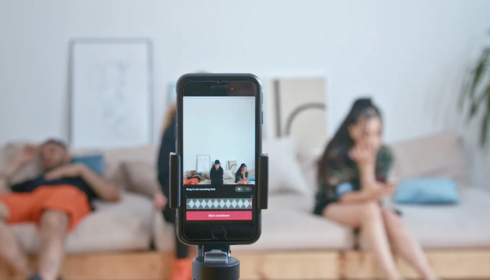
Mobile applications, on the other hand, prioritize accessibility and speed. Many incorporate artificial intelligence to automate much of the process, analyzing images and suggesting optimal animations based on content recognition. For instance, detecting faces might trigger automatic centering and zoom, while identifying scenery could apply panoramic sweeps. These apps often include built-in libraries of transitions and soundtracks, enabling quick assembly of polished clips directly from smartphones.
Online platforms bridge the gap between desktop power and mobile convenience. Browser-based editors require no downloads, supporting collaborative workflows and cloud storage integration. They typically offer template-driven interfaces that streamline conversion, making them ideal for users seeking efficiency without compromising creative options.
Step-by-Step Strategies for Optimal Results
Achieving professional-quality videos from images demands attention to planning and execution. Begin by curating high-quality source material—sharp, well-composed photographs yield superior outcomes. Consider resolution requirements for the intended platform; vertical formats suit social stories, while horizontal orientations better serve wider screens.
Organize the sequence thoughtfully. Arrange images in a logical progression that tells a coherent story, whether chronological, thematic, or emotional. Establish duration for each clip—typically three to ten seconds per image—to maintain viewer engagement without rushing or dragging the pace.
Incorporate audio elements purposefully. Background music sets tone and tempo, influencing animation timing. Ambient sounds or voiceover narration add context, transforming simple slideshows into immersive experiences. Ensure volume balance so that audio complements rather than competes with visual elements.
Refine transitions between images. Smooth crossfades create gentle flow, while creative wipes or zooms maintain energy. Consistency in style unifies the video, though strategic variations can emphasize key moments.
Enhancing Creativity Through Advanced Features
Beyond basic motion, innovative features expand expressive possibilities. Text overlays introduce titles, captions, or quotes that appear dynamically, syncing with image animations for emphasis. Color grading adjusts mood—warming tones for nostalgic memories or cooling hues for serene landscapes.
Multi-image compositions blend several photographs within single frames, using masks and opacity controls to reveal elements progressively. This technique suits thematic montages, gradually building complex visuals from individual components.
Speed ramping varies playback rates within clips, accelerating background motion for dramatic effect or slowing foreground elements to highlight details. When combined with precise timing, these adjustments elevate simple conversions into sophisticated productions.
Optimizing Output for Different Platforms
Tailoring videos to specific distribution channels maximizes reach and effectiveness. Social networks favor shorter durations with immediate visual hooks in the opening seconds. Vertical orientations dominate mobile viewing, while square formats offer versatility across feeds.
Professional contexts often require higher production values. Longer formats accommodate detailed narratives, incorporating branding elements like logos or color schemes. Export settings should prioritize compatibility, balancing file size with quality retention.
Accessibility considerations include adding subtitles for narration or descriptive text, ensuring broader audience inclusion. Closed captions enhance comprehension in sound-off environments common to social scrolling.
Practical Applications Across Industries
This transformation technique finds utility in diverse fields. Marketers craft compelling product showcases by animating still shots into engaging advertisements. Real estate professionals present properties through virtual tours assembled from interior and exterior photographs.
Educators develop dynamic lesson materials, animating historical images or scientific diagrams to illustrate concepts vividly. Personal users compile memorable tributes for celebrations, weaving family photos into heartfelt montages accompanied by meaningful music.
Event documentation benefits immensely, converting collections of captured moments into highlight reels that preserve atmosphere and emotion far better than static albums.
Mastering the Art of Visual Storytelling
Ultimately, converting images to videos represents more than technical conversion—it embodies creative evolution. By thoughtfully applying motion, sound, and sequencing, creators transform passive viewing into active engagement. This process democratizes video production, empowering anyone with photographs to craft narratives that resonate deeply.
As tools continue advancing, the boundaries of what’s possible expand further, inviting experimentation and innovation. The key lies in purposeful choices that serve the story, ensuring each animated frame contributes meaningfully to the overall message. With practice and attention to detail, these dynamic clips not only capture attention but leave lasting impressions in an increasingly visual world.